Optimize Your Google Business Profile for Visibility
How to Set Up a Google Business Profile for Maximum Visibility. In the luxury market, your brand's first impression is rarely your storefront; it is your presence on Google.
Own the Top Spot on Google Maps
Transform your profile into a premium digital storefront
Why Your Google Business Profile Is the New Luxury Storefront
For discerning customers, convenience and credibility are non‑negotiable. When someone searches for "best spa near me" or "fine dining in [your city]," your Google Business Profile is often the first touchpoint. This profile, previously known as Google My Business, is far more than a simple listing; it is a curated showcase of your brand, your reviews, and your reputation in real time.
A premium brand cannot afford a half-finished profile, outdated photos, or inaccurate information. Strategic Google Business Profile setup and ongoing Google Business Profile optimization are foundational to modern Local SEO, ensuring that your business appears prominently when high-value clients are ready to book, visit, or call.
💡 Pro Tip: Treat your Google Business Profile as you would your lobby, showroom, or private client lounge—every detail should feel intentional, polished, and aligned with your brand.
Step 1: Flawless Profile Setup – Claiming and Verifying Your Listing
Elegant visibility begins with precise Profile Setup. To unlock the full power of your listing, you must first claim and verify your business with Google. This ensures that you, and only you, control how your brand appears across Search and Maps.
- Visit google.com/business and sign in with the Google account you wish to use for your brand's digital assets.
- Search for your business name. If a listing already exists, request ownership. If not, create a new Google Business Profile from scratch.
- Enter your official business name exactly as it appears on signage, your website, and legal documentation. Consistency signals trust and professionalism.
- Add your physical address and service areas with precision, ensuring Google Maps can guide clients effortlessly to your location.
- Complete the verification process, typically via postcard, phone, or email. This final step confirms your authority over the listing.
By taking the time to execute your Google Business Profile setup with care, you lay the groundwork for sophisticated visibility across Google Search and Maps, where your premium clientele is already looking.
Step 2: Crafting a Premium, Search‑Ready Business Profile
Once your listing is verified, the true art of Google Business Profile optimization begins. The goal is simple: make it effortless for clients to choose you over every other option on the map, while signaling to Google that your business deserves to rank prominently.
Perfecting Your Core Information (NAP + Categories)
Start with the essentials: your Name, Address, and Phone number (NAP). These must match your website, social media, and any premium directories you use. Even small discrepancies can dilute your Local SEO strength and confuse both Google and your guests.
- Choose a primary category that precisely reflects your highest‑value service, such as "Luxury Hotel," "Fine Dining Restaurant," or "Medical Spa."
- Add secondary categories to capture your full range of offerings without diluting your core identity.
Writing a Description That Feels Like a Private Invitation
Your business description is where luxury tone and Local SEO intersect. Within 750 characters, you can communicate your brand story, highlight your signature experiences, and naturally incorporate keywords like Google Business Profile, Local SEO, and your primary services and city.
Focus on sensory details and exclusivity: the personalized welcome, the curated wine list, the bespoke treatment plans. Then, elegantly weave in phrases that align with how your clients search, such as "award‑winning salon in downtown [city]" or "private dental studio in [neighborhood]."
Step 3: Visual Storytelling – Photos That Reflect Your Standard
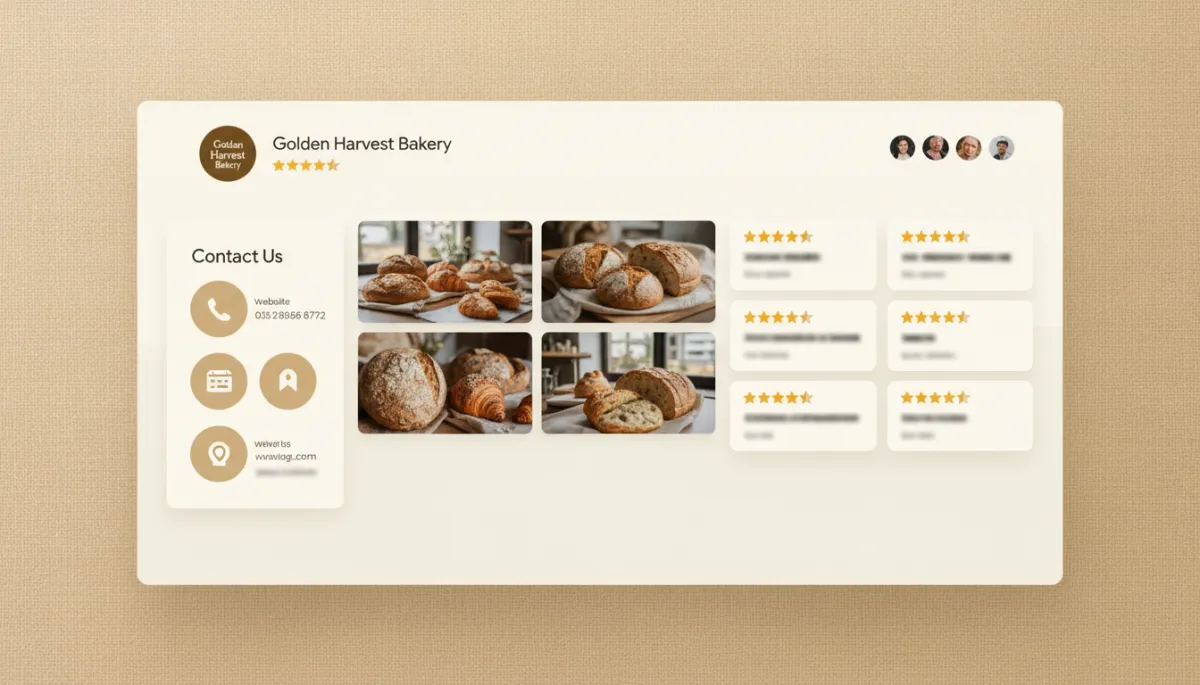
Luxury clients make decisions with their eyes first. High‑resolution, thoughtfully composed images are non‑negotiable for a premium Google Business Profile. They not only entice visitors but also influence how you rank higher on Google Maps, as profiles with more quality photos often receive more engagement.
- Upload a refined logo and a cover photo that captures the essence of your space—warm lighting, inviting textures, and impeccable presentation.
- Showcase interiors, exteriors, signature products, and staff in action, all in a cohesive, modern aesthetic.
- Refresh your gallery regularly so repeat visitors always experience something new and current.
Step 4: Reviews, Messaging, and Posts – Signals That Elevate Your Ranking
Understanding how to rank higher on Google Maps means understanding signals of trust. Google favors businesses that engage, respond, and provide a consistently exceptional experience. For a luxury brand, this is where your natural strengths become Local SEO assets.
Curating Five‑Star Social Proof
Invite delighted clients to share their experiences directly on your Google My Business listing. A steady flow of authentic, detailed reviews reinforces your positioning and improves your visibility in local search results.
- Make review requests part of your post‑visit ritual, whether by elegant follow‑up email or a personalized message.
- Respond to every review with grace—thanking guests for praise and addressing concerns with calm, solutions‑oriented language.
Using Posts and Messaging to Stay Top‑of‑Mind
The Posts and Messaging features inside your Google Business Profile allow you to communicate like a concierge—timely, personal, and relevant. Share seasonal menus, new collections, exclusive packages, or limited appointments directly on your profile, turning searchers into guests with a single click.
These signals—fresh posts, responsive messaging, and consistent engagement—feed into your overall Local SEO performance and can subtly help you rank higher on Google Maps, especially when combined with proximity and relevance.
Step 5: Advanced Optimization – Turning Data into an Advantage
Premium brands measure what matters. Inside your Google Business Profile dashboard, you will find insights that reveal how clients discover and interact with your listing. This data is the foundation of ongoing Google Business Profile optimization.
- Track how many people find you via direct searches (your brand name) versus discovery searches (your services and category).
- Monitor actions: calls, website visits, direction requests, and bookings. Optimize your profile and offers to encourage the behaviors that matter most to your business.
- Adjust your photos, descriptions, and posts based on what drives the highest engagement and most qualified inquiries.
📌 Key Takeaway: Local SEO is not a one‑time task. Think of Google Business Profile optimization as ongoing brand maintenance, much like updating your interiors, menus, or seasonal collections.
Bringing It All Together: A Premium Approach to Local Visibility
When you approach Google Business Profile setup with the same care you devote to your in‑person experience, the results are transformative. A complete, visually rich, and strategically optimized profile helps you rank higher on Google Maps, dominate local search results, and attract the kind of clientele who value quality over convenience alone.
In today's landscape, a refined Google My Business presence is not optional for luxury‑minded local businesses; it is the standard. From meticulous Profile Setup and elegant copywriting to curated photography, reviews, and data‑driven optimization, every detail contributes to a presence that feels as considered as your physical space.
Your next loyal guest, patient, or client is already searching. With a premium, fully optimized Google Business Profile, you ensure that when they do, they find not just a location on a map—but a brand that feels unmistakably like the right choice.